

How to Do GMB Posting Effectively in 2025
Google My Business, now known as Google Business Profile, is one of the most powerful tools for boosting your online presence. GBP posts allow you to share updates, offers, events, and announcements directly on your Google listing, making it easier to engage with customers searching for your business.
When done correctly, GMB posting can increase visibility, improve local SEO rankings, and drive more foot traffic or online inquiries. It is not just about putting words online — it is about sharing the right content at the right time to the right audience.
This guide will walk you step-by-step through how to do GMB posting effectively in 2025, covering setup, best practices, content ideas, optimization tips, and tracking results. Whether you are a beginner or a seasoned marketer, by the end, you will know exactly how to craft posts that get noticed and convert.
Start Learning GBP PostingWhat You’ll Learn
- GBP post setup
- Best posting practices
- Content ideas for local SEO
- Optimization tips
- How to track results
How to Create a Google My Business Post?
Creating a Google My Business post is a simple but powerful way to share updates, offers, and events directly with customers searching for your business on Google Search and Google Maps.
Log In to Your Profile
Start by logging in to your Google Business Profile Manager. Select the business location you want to update and open the Posts section from the menu.
Choose Post Type
Select the right post type based on your goal. You can create What’s New, Event, Offer, or Product posts to match your campaign.
Write a Strong Description
Write a clear and engaging message. Keep the first 100 characters attention-grabbing because this part often appears in previews.
Add Images or Videos
Upload high-quality visuals to make your post more attractive. Use images that are at least 720 pixels wide for better display quality.
Add a CTA Button
Choose a call-to-action button such as Call Now, Book, Learn More, or Order Online to encourage customers to take the next step.
Preview and Publish
Review your post for accuracy, preview how it looks on desktop and mobile, then click Publish to make it live on your Google listing.
Why It Matters
A well-crafted GMB post can improve local visibility, increase customer engagement, support your Google Maps presence, and drive more calls, bookings, website clicks, and store visits.
How to Write Engaging Google My Business Posts?
Writing engaging Google My Business posts is all about grabbing attention quickly, delivering value, and encouraging action. A strong GBP post should instantly tell customers why they should care and what step they should take next.
Start With a Strong Hook
Open with an eye-catching line such as a limited-time offer, seasonal update, exciting news, or customer-focused benefit.
Keep It Clear and Friendly
Use simple, easy-to-read language. Aim for 150–300 words so your post works well on both mobile and desktop.
Use Strong Visuals
Add high-quality images or videos that show your products, services, team, location, or brand personality.
Add Local Keywords
Include your city, neighborhood, or service area naturally to support better local search visibility.
Include a Clear CTA
Use action-focused buttons or phrases like Call Now, Book Online, Learn More, or Shop Today.
Make Posts Timely
Share promotions, events, holiday updates, seasonal offers, or new service announcements to create urgency.
Crafting Your First Google Business Post
Creating your first Google Business post is an exciting step toward boosting your online presence, attracting local customers, and building stronger engagement through Google Search and Google Maps.
Your First Post Should Be Clear, Local, and Action-Focused
Start by logging in to your Google Business Profile Manager and selecting your business location. Click on the Add Update or Create Post option, then choose the type of post you want — such as What’s New, Offer, Event, or Product.
Begin with a clear, engaging headline or opening sentence that captures attention right away. Keep your message short and focused, ideally between 150–300 words, and make sure it communicates value to your audience.
Create Your First GBP PostFirst Post Checklist
Log in to your Google Business Profile Manager.
Select your business location and choose a post type.
Write a strong headline or opening sentence.
Add high-quality images or short videos.
Use local keywords like your city or neighborhood.
Add a CTA such as Learn More, Call Now, or Shop Online.
Preview Before Publishing
Check how your post looks on desktop and mobile before publishing. Make sure the message, image, CTA, and formatting look clean and professional.
Track Engagement
After publishing, monitor performance through GMB Insights to see how customers interact with your post, including views, clicks, calls, and actions.
Build Consistency
A strong first post sets the tone for future updates. Keep posting consistently with offers, announcements, events, tips, and seasonal promotions.
GMB Posting Strategies
Here are 5 effective strategies to make your Google My Business posts stand out, attract attention, and drive real results.
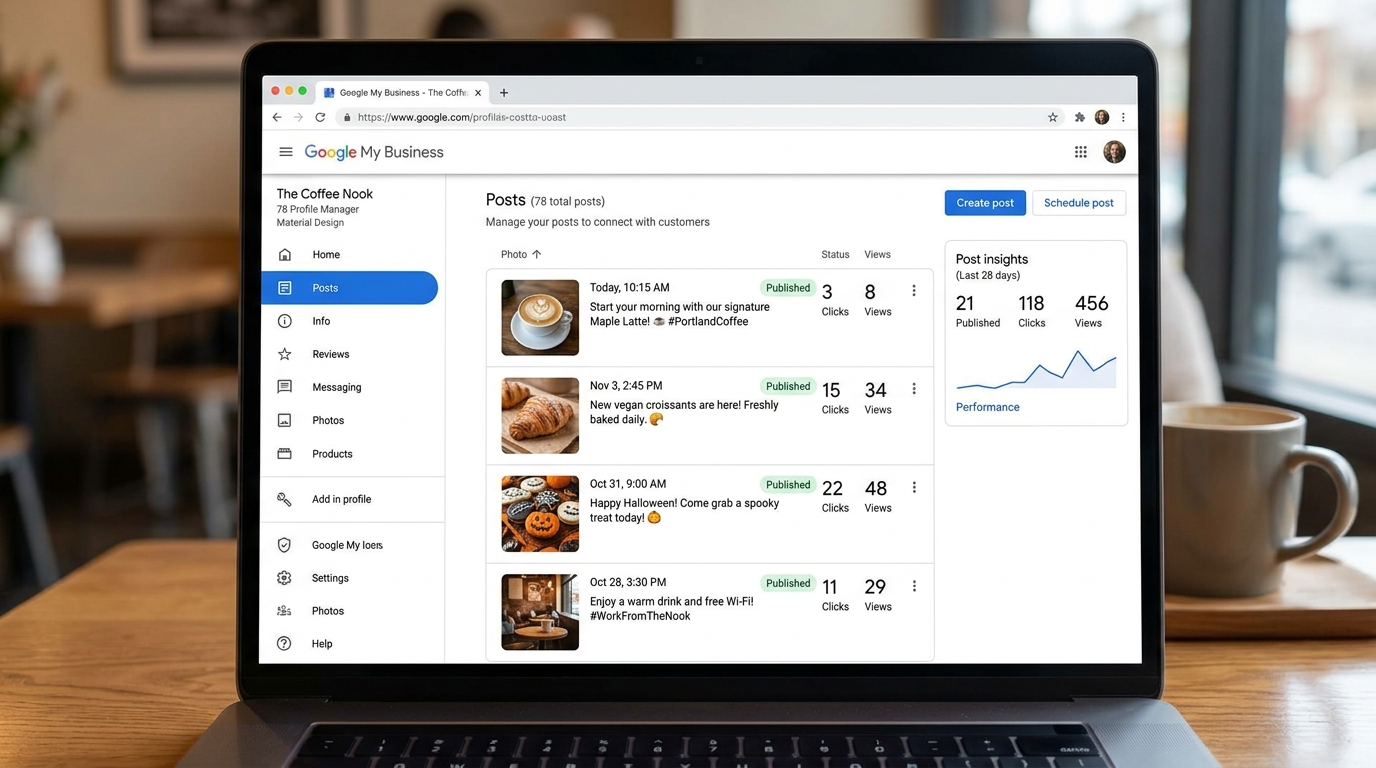
Post Consistently
Consistency is one of the most important parts of GMB posting. Aim to publish at least one post every week so your Google Business Profile stays fresh and active.
You can post about promotions, service updates, customer questions, seasonal offers, new products, recent projects, events, or helpful tips.
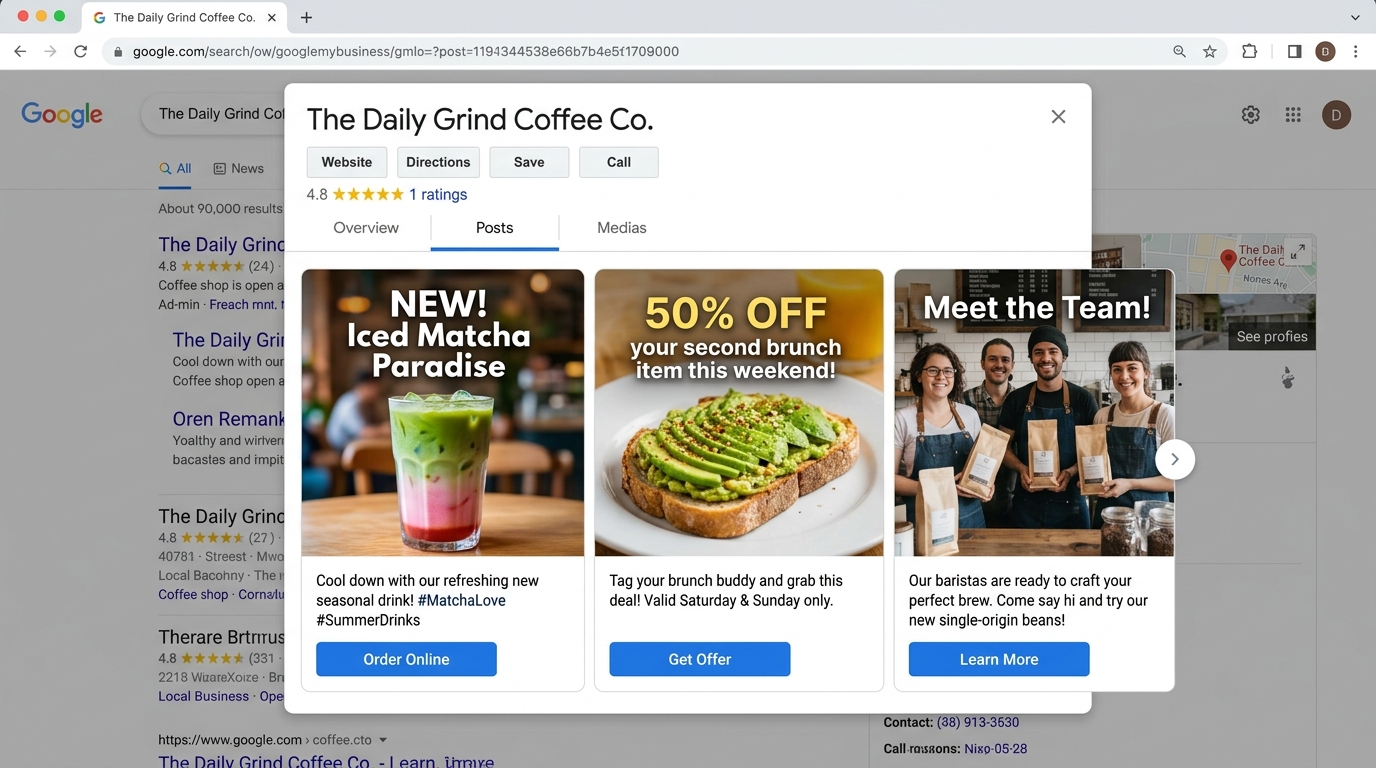
Use Eye-Catching Images
Images are one of the first things people notice when they see your post. Always use high-quality, clear, and relevant visuals that match your message.
Real photos of your business, team, products, services, completed jobs, or location usually perform better than generic stock images.
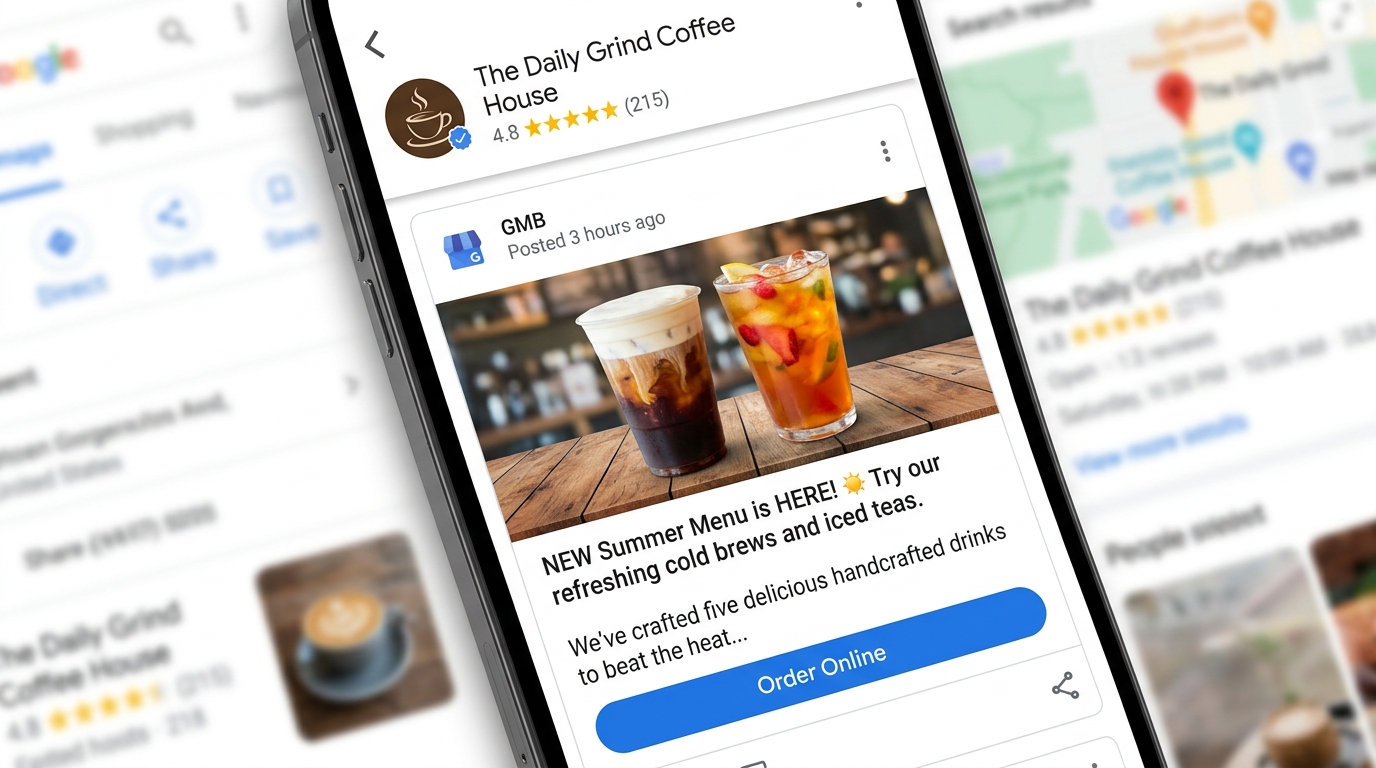
Write a Hook in the First 100 Characters
The opening line of your GMB post is very important because only a small part of the text may appear in previews. Start with a strong hook that gives people a reason to click.
Instead of saying “We provide plumbing services in Dallas,” use something stronger like “Need emergency plumbing help in Dallas today?”
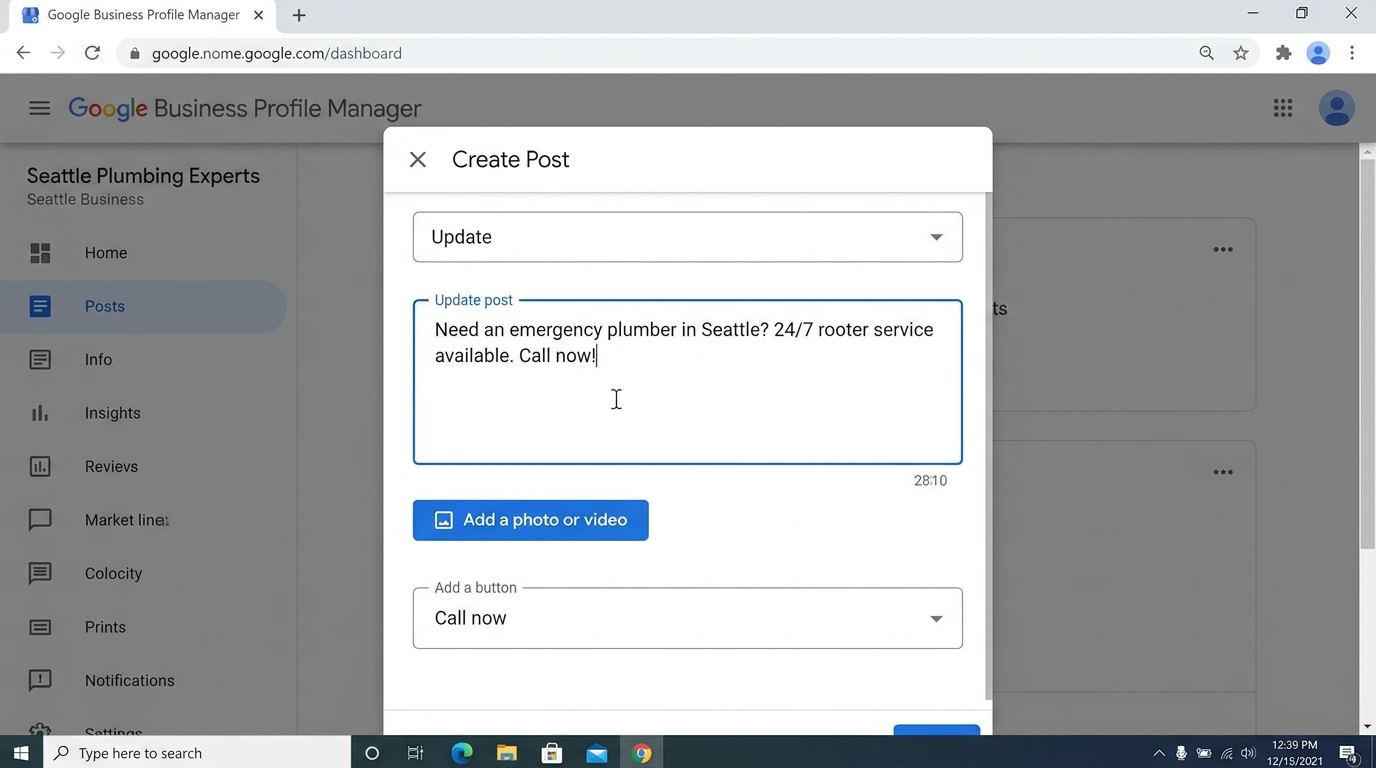
Include Local Keywords
Google Business Profile posts should be written for local customers. Mention your city, neighborhood, nearby areas, or landmarks naturally inside the post.
For example: “Our HVAC team is helping homeowners in Tampa, Brandon, and Clearwater stay cool this summer.”
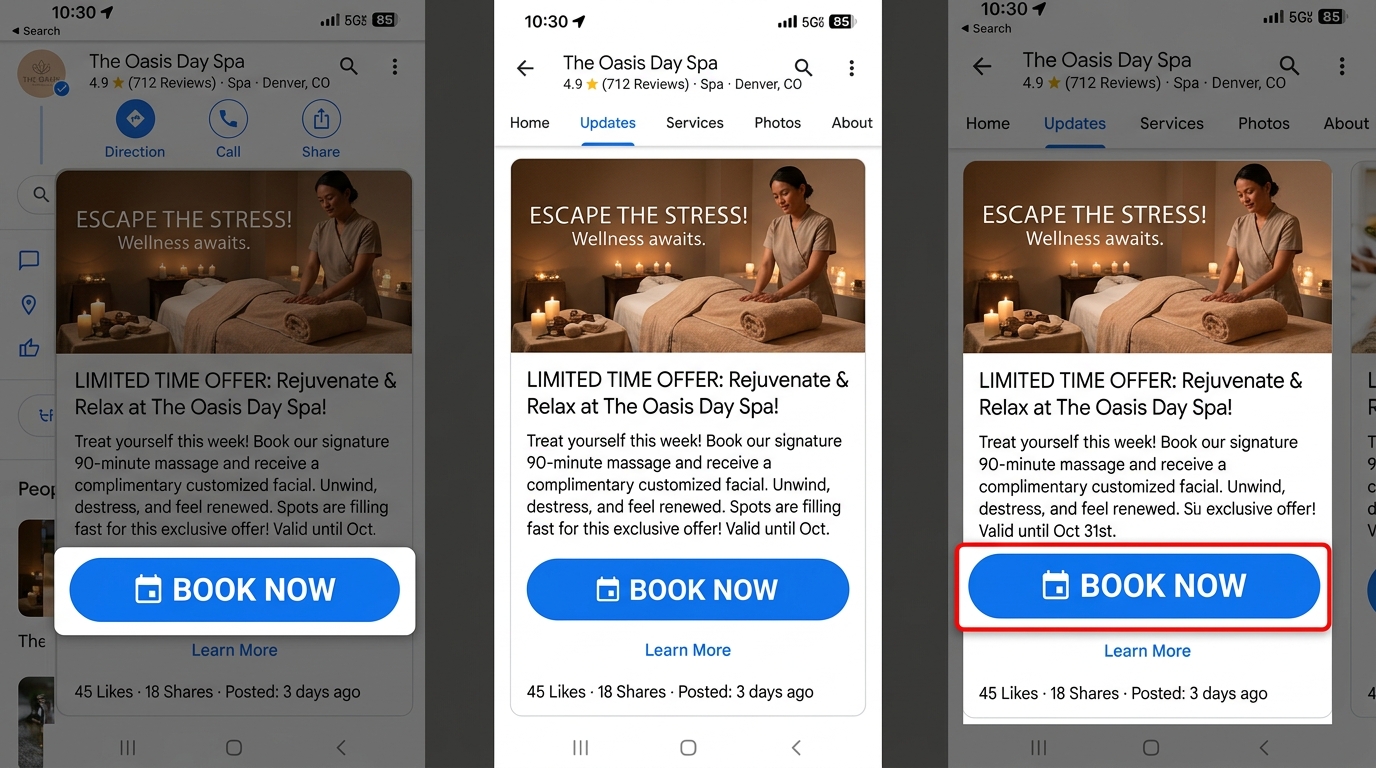
Add Strong Call-to-Action Buttons
Every GMB post should guide the customer toward the next step. A strong call-to-action tells people what to do after reading your post.
Use CTAs like Call Today, Book Now, Learn More, Get a Free Quote, or Schedule Service. A clear CTA can help generate more calls, clicks, bookings, and inquiries.
Want to Improve Your Google Business Profile Visibility?
Learn more about GMB SEO and profile optimization to increase local rankings, calls, website clicks, and customer actions.
What is the Best Length for a Google My Business Post?
The best length for a Google My Business post typically falls between 150 and 300 words. This range is long enough to provide valuable information, include relevant keywords, and engage your audience, yet short enough to keep readers’ attention.
Google allows up to 1,500 characters for a post, but shorter, well-structured content usually performs better. Focus on delivering a clear message with a strong opening, concise details, and a compelling call-to-action to encourage clicks, calls, or visits.
Breaking your post into short sentences or bullet points can improve readability, especially on mobile devices where most users view GMB listings. By balancing detail with brevity, your post stays informative, visually appealing, and optimized for both search engines and potential customers.
Ideal GMB Post Formula
Best word count for most Google Business posts
Maximum character limit allowed by Google
First characters should grab attention fast
End every post with one clear action
Conclusion
Where Customers See Your Google Business Profile Posts?
Google Business Profile posts appear in important places where customers are already searching, comparing, and deciding whether to contact your business.
Google Search Business Panel
Your posts can appear in your Business Profile panel when someone searches for your business name directly on Google. This panel usually appears with your contact details, reviews, photos, website link, and business information.
This makes your posts highly visible to customers who are already interested in your business and may be close to calling, visiting, or booking.
Google Maps Listings
Google Business Profile posts may also appear on Google Maps when customers search for your business or related services in your area.
This is especially useful for local businesses because Maps users often have high intent and are looking for nearby options, directions, calls, or service availability.
Updates or From the Owner Section
Posts such as updates, offers, events, or announcements may appear in sections like “Updates” or “From the Owner” inside your Google Business Profile.
This gives customers quick access to your latest promotions, service updates, events, product announcements, or business news.
Mobile Scrollable Carousel
On mobile devices, posts often appear in a scrollable format, making it easy for users to browse multiple updates from your business.
Since many local searches happen on mobile, short posts with strong images and clear CTAs can help drive more clicks, calls, and visits.
Why This Placement Matters
Your posts reach customers at a crucial moment — when they are already considering your business. A limited-time promotion, new service announcement, event invite, or helpful update can become the reason someone chooses your business over a competitor.
Other Important Tips for Google My Business Posts
To make your Google Business Profile posts more effective, focus on quality, consistency, local relevance, and clear customer action.
Use Clear, Professional Images
Use high-quality visuals that are at least 720 pixels wide. Real photos from your business, team, services, location, or completed projects usually build more trust than generic stock photos.
Keep Text Short and Action-Oriented
Make your post easy to scan. The first 100 characters are especially important, so start with a strong hook, offer, question, or benefit that gets attention quickly.
Post at Least Once Per Week
Regular posting keeps your profile active and fresh. Weekly posts help customers see that your business is engaged, updated, and ready to serve them.
Use Different Post Types
Mix your content with What’s New posts, Events, Offers, and Product posts. This helps you speak to different customer needs and keeps your profile from looking repetitive.
Add a Strong CTA
Every post should guide customers toward the next step. Use CTAs like Book Now, Call Today, Learn More, Visit Us, or Get a Free Quote.
Use Local Keywords Naturally
Mention your city, neighborhood, nearby areas, or service region in a natural way. This helps improve local relevance without making your content look spammy.
Track Results with GBP Insights
Monitor engagement, clicks, calls, and customer actions. Use this data to understand which topics, images, offers, and CTAs perform best.
Frequently Asked Questions About Google My Business Posts
Here are the most common questions business owners ask about Google Business Profile posts, posting frequency, expiration, scheduling, hashtags, and voice search.
How often should I update my Google My Business posts?
While once a week is a common recommendation, the ideal posting frequency depends on your business activity and audience engagement. For seasonal offers, promotions, or time-sensitive events, you may need to post multiple times a week.
Regular updates help keep your profile active and ensure customers always see fresh, relevant, and useful content when they visit your Google Business Profile.
Do Google My Business posts expire?
Yes. Most Google My Business post types, such as What’s New and Offer posts, may stop appearing prominently after a set period. Event posts usually remain visible until the event date you select, while product listings may stay visible as long as the product is available.
This is why it is important to follow a content schedule and replace older posts with fresh updates, offers, events, and business announcements.
Can I schedule Google My Business posts in advance?
Yes. While Google’s native dashboard may not always provide advanced scheduling options, many third-party tools can help you plan, create, and schedule Google Business Profile posts ahead of time.
Scheduling is especially useful if you manage multiple business locations or want to stay consistent with weekly updates, seasonal offers, and event promotions.
Do hashtags work in Google My Business posts?
Hashtags are not a major ranking factor for Google Business Profile posts, but they can help improve readability and highlight important topics inside your content.
Use them carefully and sparingly. Instead of relying on hashtags, focus on natural local keywords, strong post copy, clear service details, and a direct call-to-action.
Can Google My Business posts help with voice search optimization?
Yes. Google Business Profiles can support visibility for local voice searches, especially when people ask questions like “best coffee shop near me” or “emergency plumber near me.”
To improve your chances, use conversational keywords, answer common customer questions, mention your services clearly, and include local terms such as your city, neighborhood, or service area.
Quick Tip
The best Google Business Profile posts are consistent, local, helpful, visual, and action-focused. Keep posting fresh updates and track which topics drive the most calls, clicks, and customer actions.

Gulfam Qamar is a seasoned Local SEO expert with a proven track record of helping businesses boost their online visibility and dominate local search results. With deep expertise in Google Business Profiles, on-page optimization, and local citation strategies, Gulfam helps brands connect with nearby customers and grow sustainably. When he’s not optimizing websites, he’s sharing actionable SEO tips and insights to empower small businesses in the digital space.