
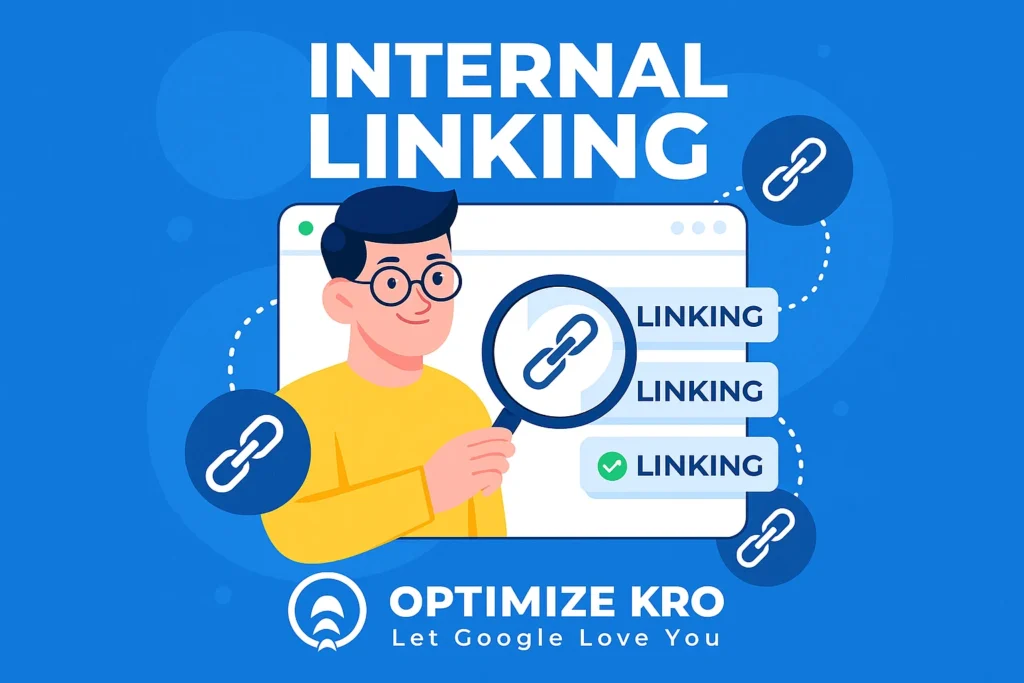
Internal Linking: The Ultimate On-Page SEO Guide
Internal linking is one of the most crucial aspects of on-page SEO (Search Engine Optimization). This method of linking one page of your website to another improves navigation and enhances user experience.
Perhaps most importantly, it helps search engines understand the structure and hierarchy of your site. In this article, we’ll take an in-depth look at internal linking—what it is, why it’s essential, and how to effectively implement it using best practices and NLP optimization techniques.
What is Internal Linking?
Internal linking refers to the practice of linking one page of your website to another. These links connect different pages and create pathways for both search engines and users to navigate your website.
Why Internal Linking is Important for SEO?
How to Do Internal Linking Effectively
2. Use Descriptive Anchor Text: Use specific, keyword-rich text instead of generic phrases like “click here.”
3. Ensure a Logical Structure: Organize links to mirror your site’s hierarchy, prioritizing cornerstone content.
4. Link Deep Within Your Site: Bring attention to buried pages to boost their visibility in search results.
5. Use Breadcrumbs: Implement breadcrumb navigation to show users their location and allow easy backtracking.
Best Practices for Internal Linking
- Prioritize High-Value Pages: Ensure pillar content receives the most internal link signals.
- Use a Natural Approach: Avoid forcing links; they should add genuine value to the user.
- Diversify Anchor Text: Use variations and related terms to avoid keyword stuffing penalties.
- Link to New Content: Link from existing high-authority pages to new posts to speed up indexing.
Internal Linking Strategy Overview
| Strategy | Description | Benefit |
|---|---|---|
| Relevance | Only link to contextually related pages. | Improves user experience & SEO. |
| Anchor Text | Use descriptive, keyword-rich anchor text. | Helps engines understand context. |
| Logical Structure | Ensure important pages are easily accessible. | Boosts visibility of key pages. |
| Deep Linking | Link to pages deeper in your site’s structure. | Increases visibility of all pages. |
| Regular Updates | Ensure links are up-to-date and working. | Prevents broken links and SEO issues. |
Internal Linking Audit (Complete Guide)
An internal linking audit is the process of analyzing all internal links on your website to ensure they are optimized for SEO, user experience, and crawlability. It helps identify issues like broken links, orphan pages, weak linking structures, and missed opportunities to pass authority to important pages.
📊 What an Internal Linking Audit Checks
| Audit Area | What to Analyze | Why It Matters |
|---|---|---|
| Link Structure | How pages are connected across the site | Helps search engines understand hierarchy |
| Orphan Pages | Pages with no internal links pointing to them | Hard for Google to discover and rank |
| Broken Links | Internal links leading to 404 errors | Hurts UX and crawl efficiency |
| Anchor Text | The words used in links | Impacts keyword relevance and rankings |
| Link Depth | How many clicks from homepage | Important pages should be within 2–3 clicks |
| Overlinking | Too many links on one page | Can dilute link value |
| Underlinking | Important pages with few links | Reduces ranking potential |
| Redirect Links | Links going through redirects | Slows down crawling |
Internal Linking Tools (Detailed Guide for SEO)
Internal linking tools are specialized SEO software designed to help you analyze, build, optimize, and automate internal links across your website. These tools improve site structure, fix SEO issues, and boost rankings by distributing link equity effectively.
🔥 What Internal Linking Tools Do
- Find internal linking opportunities automatically
- Detect broken links, orphan pages, and crawl issues
- Suggest anchor text and contextual links
- Improve site structure and crawlability
- Distribute link equity across pages
These tools significantly reduce manual work and improve SEO performance at scale.
🧠 1. Internal Link Audit & Analysis Tools
These tools analyze your website structure and identify SEO issues.
| Tool | Key Features | Best For |
|---|---|---|
| Google Search Console | Internal link reports, orphan pages, indexing insights | Free analysis |
| Screaming Frog | Full crawl, broken links, link depth analysis | Technical SEO audits |
| SEO PowerSuite | Visual structure + link analysis | Deep audits |
| Ahrefs | Internal link reports + site audit | Advanced SEO |
👉 These tools help identify technical issues affecting SEO performance.
🤖 2. Internal Linking Automation Tools
These tools automatically suggest or insert internal links.
| Tool | Key Features | Best For |
|---|---|---|
| Link Whisper | AI suggestions + auto linking | WordPress users |
| LinkBoss | Semantic linking + automation | Large websites |
| Internal Link Juicer | Keyword-based auto linking | Bloggers |
| LinkStorm | AI-powered linking + audits | Agencies |
👉 Automation tools save time and scale linking across large sites.
How Many Internal Links Per Page?
There is no fixed number of internal links in SEO. The right amount depends on your content length, purpose, and user experience. However, most high-performing pages follow proven patterns.
| Page Type | Recommended Internal Links | Why It Works |
|---|---|---|
| Short pages (500–800 words) | 3–5 links | Keeps content clean and focused |
| Medium content (1,000–1,500 words) | 5–10 links | Supports topic depth and navigation |
| Long-form content (2,000+ words) | 10–25 links | Builds authority and topic clusters |
| Pillar pages | 20–50+ links | Connects entire topic clusters |
| eCommerce pages | 5–15 links | Improves product discovery and UX |
⚖️ Quality vs Quantity (Most Important Rule)
- Add value to the reader
- Be contextually relevant
- Guide users to related content
- Support your SEO structure (clusters & silos)
Internal Linking Case Study (SEO Growth Example)
This case study shows how a structured internal linking strategy improved rankings, traffic, crawlability, and conversions for a service-based website by strengthening topical authority and distributing link equity more effectively.
📌 Overview
The website had useful service pages and supporting content, but weak internal linking prevented search engines from understanding page relationships. Important pages were buried, some were orphaned, and authority was not flowing to the pages that mattered most.
🎯 Project Goal
- Increase organic rankings for service keywords
- Improve crawlability and indexing
- Boost conversions from organic traffic
🔍 Initial Problems Identified
| Issue | Impact |
|---|---|
| Weak internal linking structure | Pages were not properly connected |
| Orphan pages | Important pages were not indexed or ranked |
| Poor anchor text usage | Low keyword relevance |
| Deep page structure | Important pages were buried 4–5 clicks deep |
| No topic clusters | Lack of topical authority |
🛠️ Strategy Implemented
1. Built Topic Clusters
- Created pillar pages targeting main keywords
- Linked supporting pages back to pillar pages
- Connected related content horizontally
2. Added Contextual Internal Links
- Inserted links naturally within content
- Focused on keyword-rich anchor text
- Prioritized high-value pages
3. Fixed Technical Issues
- Removed broken internal links
- Reduced redirect chains
- Fixed orphan pages by linking them properly
4. Optimized Link Depth
- Ensured key pages were within 2–3 clicks from the homepage
- Improved navigation and crawl efficiency
5. Distributed Link Equity
- Linked from high-traffic pages to low-performing pages
- Strengthened the ranking potential of money pages
📊 Results (Within 60–90 Days)
| Metric | Before | After | Improvement |
|---|---|---|---|
| Organic Traffic | 3,200/month | 7,800/month | +143% |
| Top 10 Rankings | 18 keywords | 46 keywords | +155% |
| Indexed Pages | 65% | 95% | +30% |
| Avg. Time on Site | 1:20 min | 2:45 min | +106% |
| Conversions | 45/month | 110/month | +144% |
Organic Traffic
Top 10 Rankings
Indexed Pages
Time on Site
Conversions
📈 Key Wins
- Faster indexing due to improved crawl paths
- Higher rankings from better keyword relevance
- Increased engagement through improved navigation
- Stronger topical authority via content clusters
🧠 Key Takeaways
- Internal linking is a ranking lever, not just navigation
- Topic clusters plus contextual links create an SEO growth system
- Linking strategy can outperform backlinks in early stages
- Fixing orphan pages alone can boost traffic significantly
Clients Who Trust OptimizeKRO
Trusted by local businesses and contractors for proven SEO results.
John M. – General Contractor
“These guys transformed my Google Maps ranking. More calls, more local leads, and better visibility!”
Sarah L. – Roofing Business
“Within 3 months, my business went from page 3 to the top 3 listings. Highly recommend their Local SEO service!”
David K. – Plumbing Services
“Affordable and effective SEO. My local service calls doubled in less than 90 days.”
Emma R. – HVAC Contractor
“OptimizeKRO brought a consistent flow of high-quality leads. Excellent ROI!”
Michael B. – Kitchen Remodeling
“Professional, fast, and reliable. Our local search visibility improved tremendously within 2 months.”
Laura S. – Cleaning Services
“Great team and impressive results. More calls from clients in our area than ever before!”
Conclusion
Internal linking is a powerful SEO strategy that enhances both user experience and search engine optimization. By connecting relevant pages, creating a logical site structure, and following best practices, you can improve your website’s SEO performance and help search engines better understand your content.
Start implementing effective internal linking today, and you’ll likely see improved crawlability, increased page views, and better SEO rankings in the long run.
Internal Linking FAQs
Internal linking is the practice of linking one page of your website to another page within the same domain to improve navigation and SEO.
Internal links are hyperlinks that point from one page on a website to another page on the same website.
An internal link is a clickable link that connects different pages within your own website.
Internal links connect pages within the same site, while external links point to pages on different websites.
Yes, internal links help search engines crawl your site, distribute authority, and improve rankings.
Internal links are essential for SEO because they improve site structure and user experience.
They help search engines understand your site structure, pass link equity, and increase page authority.
It improves crawlability, boosts rankings, increases time on site, and helps distribute authority across pages.
There is no fixed number, but typically 3 to 10 relevant internal links per page is considered effective.
Too many links, such as 50 or more, can dilute link value and hurt user experience, so relevance matters more than quantity.
It depends on content length, but the best approach is to add a natural and helpful number based on context.
Use contextual links, descriptive anchor text, and connect closely related pages throughout your content.
Identify related content and link pages naturally using descriptive anchor text inside your articles or service pages.
You can use tools like Screaming Frog, Ahrefs, or Google Search Console to analyze internal links across your website.
Use SEO tools or search operators like site:yourdomain.com “keyword” to identify pages that link to a specific URL.
Find broken links using SEO tools and then update the URL or add a redirect to the correct working page.
Highlight the text, click the link option in the editor, and add the URL of another relevant page from your website.
They guide users and search engines through your website while also passing authority from one page to another.
Use SEO tools to review your internal link structure, broken links, orphan pages, and anchor text opportunities.
Example: a blog post about SEO tips links to another page about keyword research on the same website.

Gulfam Qamar is a seasoned Local SEO expert with a proven track record of helping businesses boost their online visibility and dominate local search results. With deep expertise in Google Business Profiles, on-page optimization, and local citation strategies, Gulfam helps brands connect with nearby customers and grow sustainably. When he’s not optimizing websites, he’s sharing actionable SEO tips and insights to empower small businesses in the digital space.